
Ark Smart Breeding Setup
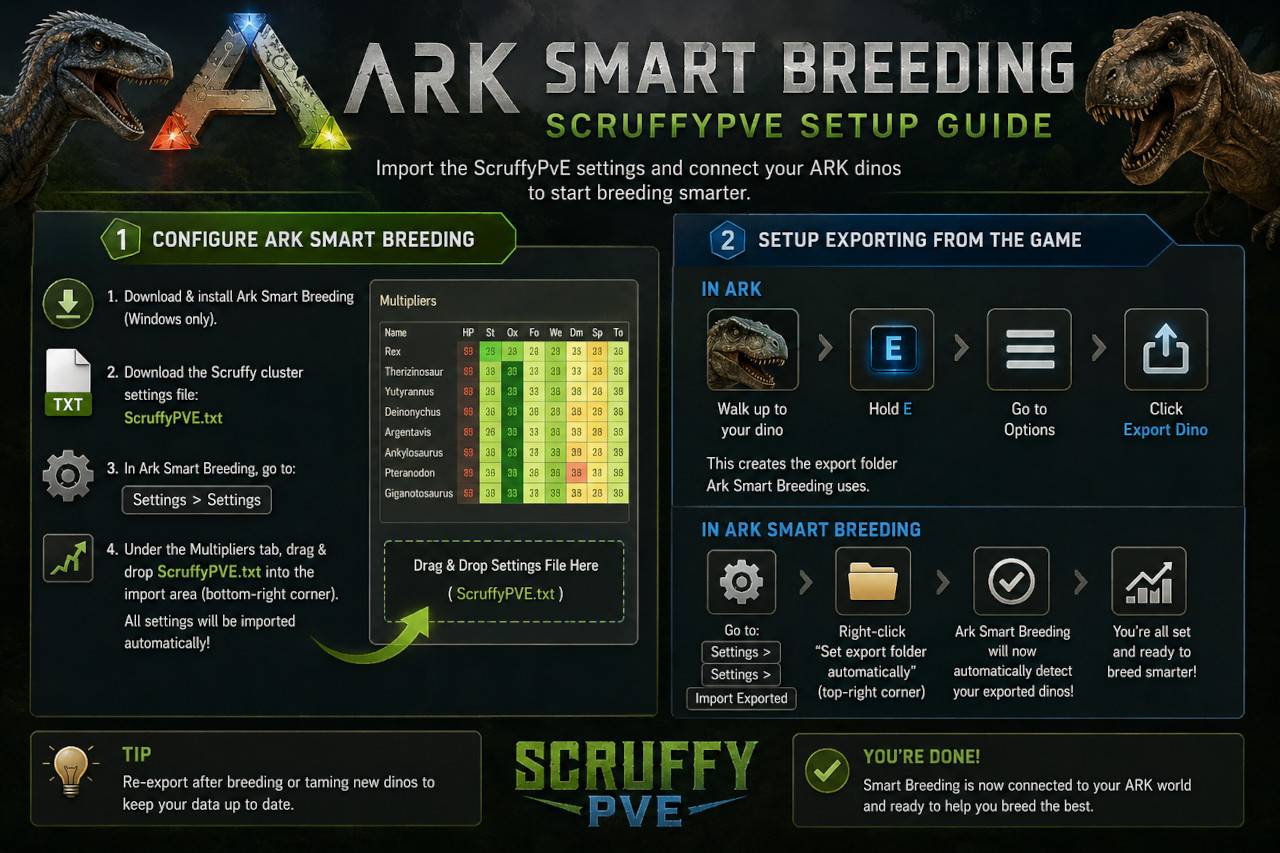
To use Ark Smart Breeding with the ScruffyPvE cluster, first download and install
Ark Smart Breeding (Windows only).
Once installed, download the Scruffy cluster settings file:
Configure Ark Smart Breeding
Open Ark Smart Breeding and go to:
Settings > Settings
Under the Multipliers tab, look in the bottom-right corner of the window for the import area.
Drag and drop the ScruffyPVE.txt file there.
This will automatically import all ScruffyPvE breeding and server settings into the application.
Setup Exporting From The Game
In ARK
- Walk up to one of your dinos
- Hold E
- Go to Options
- Click Export Dino
This creates the export folder Ark Smart Breeding uses.
In Ark Smart Breeding
Now immediately after exporting, Go to:
Settings > Settings > Import Exported
Then:
- Right-click “Set export folder automatically” in the top-right corner of the window.
Ark Smart Breeding should now automatically detect your exported dinos.
And that’s it — you’re setup and ready to go!